
Building from Linux
Linux support is experimental and may have extra issues.
It is not recommended to build a Windows or Android build from Linux currently as they will likely be missing features or not function at all.
This page assumes you have gone through Getting Started first.
Linux prerequisites
Do not commit the removal of the Utilities listed on this doc page! They are required for building Windows and Android clients!
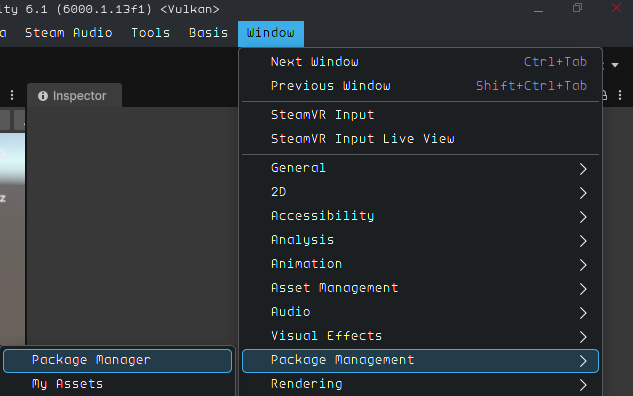
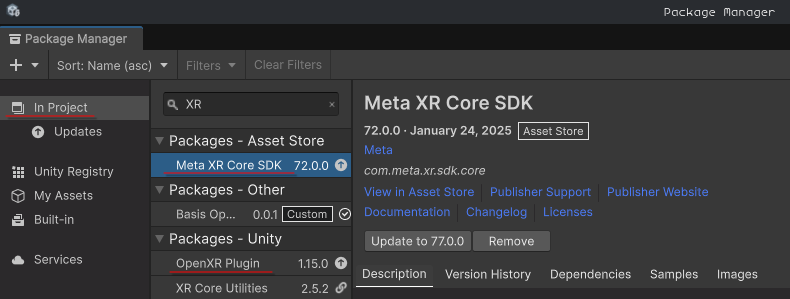
In order to build anything Basis under Linux you need to remove com.meta.xr.sdk.core "Meta XR Core SDK" and com.unity.xr.openxr "OpenXR Plugin" via the Unity Package Manager.
You may need to install com.unity.toolchain.linux-x86_64 "Toolchain Linux x64" but Unity should install that for you.
Building .BEE files from Linux
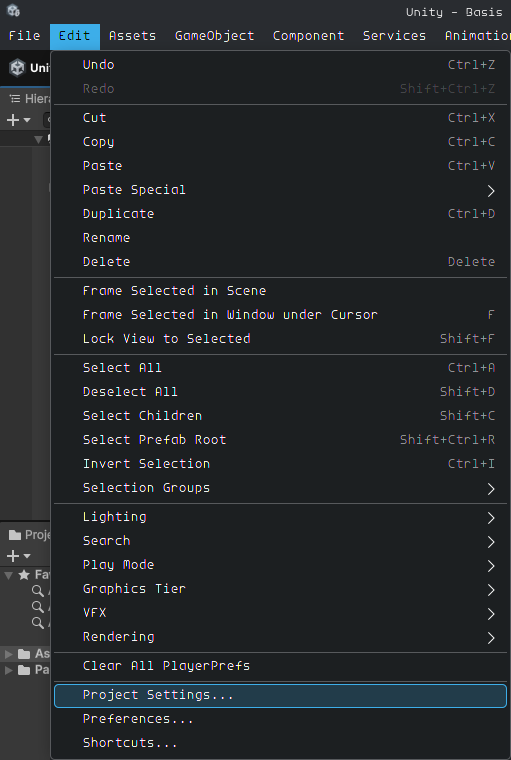
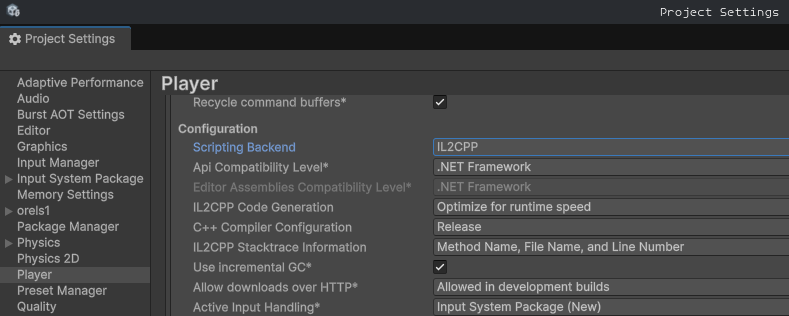
For building .bee files for Windows and Android from a Linux Editor you will need to delete the Assets/Basis/Profiles/HTCViveTrackerProfile.cs file and set the "Scripting Backend" to Mono under Edit > Project Settings > Player > Configuration > Scripting Backend.

Building a native Linux client from Linux
It is recommended to change your "Scripting Backend" to IL2CPP for better performance.
- Make sure you have removed the unsupported packages first.
- Make sure you do not have
Use Scene Provided Herechecked from World Testing. - Make sure the
Packages/com.basis.sdk/Scenes/InitializationScene is open.
Then build Basis as you would normally.
Linux Native
VR: You may need to launch with the --force-OpenVRLoader flag:
./basis.x86_64 --force-OpenVRLoaderWayland: If the application closes immediately after launch, use XWayland:
SDL_VIDEODRIVER=x11 ./basis.x86_64Proton / Wine
If you wish to use OpenXR with a Windows build under Proton / Wine you can add:
PRESSURE_VESSEL_IMPORT_OPENXR_1_RUNTIMES=1 %command% --disable-OpenVRLoader --force-OpenVRLoaderTo your Steam Launch Arguments.
Other Info
- Last tested working on branch
#developercommit102765e5b05663ce9ce2967f3d09021d5216ec51 - https://github.com/BasisVR/Basis/commit/70a695d11082a2806f0933145d448143207c72e4