
Authored Motion
Authored Motion drives cosmetic and secondary movement — tails, ears, accessories — through one batched job instead of a per-avatar Animator, so it stays cheap even in a crowded instance.
Basis Authored Motion is for the looping, ambient movement an avatar plays on its own: a swaying tail, twitching ears, a spinning accessory, a hand-keyed flourish. Traditionally you'd drive these with a Unity Animator, but every replicated copy of the avatar pays that Animator's fixed per-instance cost — which adds up fast in a busy instance. Authored Motion declares the same movement as plain data and evaluates every avatar's motion together in one batched job, so the cost barely moves as the instance fills up.
It drives only the transforms the humanoid rig and IK don't touch — tail and ear chains, extra bones, standalone accessories.
Authored Motion, Jiggle Physics, and the networked skeleton stack rather than compete: the skeleton is the primary pose, Authored Motion supplies the animated base, and Jiggle Physics layers physical follow-through on top. Authored Motion writes before jiggle samples each frame, so a jiggle rig on the same tail composes with it automatically.
Adding the Component
- Add a
Basis Authored Motioncomponent to any GameObject under your avatar's root (search "Authored Motion" in the Add Component menu). One component holds a list of Movements; group the movements you want to toggle together onto the same component, and add several components if you need independent toggle groups.
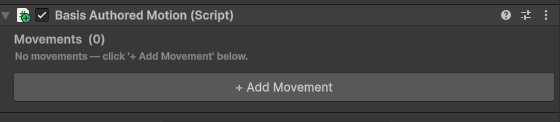
- Click + Add Movement to add an entry, then pick its Kind. The inspector shows only the fields that kind actually uses, so the card changes as you switch kinds. Use the ▲ ▼ buttons to reorder and ✕ to remove. The Label is just an author-facing name with no runtime effect.
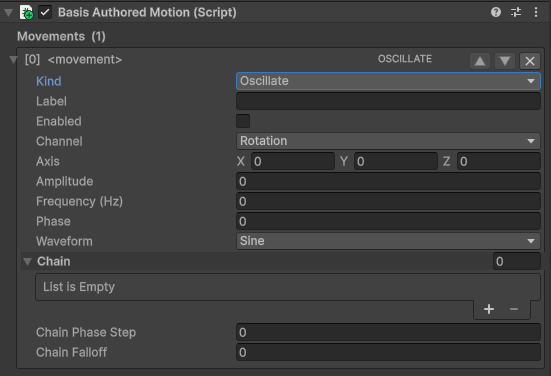
Hover any field for a description of what it does. Every field below is documented inline in the inspector tooltip.
Movement Kinds
| Kind | What it does | Drives | Key fields |
|---|---|---|---|
| Oscillate | Periodic sway (sine / triangle / square / pulse). A single bone is a simple sway; a chain becomes a travelling wave. | Chain | Axis, Amplitude, Frequency (Hz), Waveform, Chain Phase Step, Chain Falloff |
| Rotate | Constant spin in place. | Target | Axis, Speed (deg/sec) |
| Orbit | Revolves a target around a pivot. | Target | Pivot, Axis, Radius, Orbit Speed (deg/sec) |
| Noise | Organic simplex drift — smoother than Oscillate, less repetitive. | Chain | Axis, Amplitude, Noise Speed, Seed, Chain Falloff |
| RandomSelect | On a fixed interval, picks one weighted pose (or idle) and eases it in/out. Good for ear flicks and blinks. | Options / Select Target | Options (+weight), Idle Weight, Interval Range, Attack, Release |
| Sequence | Plays a baked AnimationClip across many bones. | Baked Clip | Baked Clip, Sequence Root, Loop |
Oscillate and Noise are driven by the Chain list, not Target. A simple single-bone sway is a Chain with one entry — leave Target empty for these kinds. Target is only used by Rotate and Orbit.
Oscillate — a swaying tail
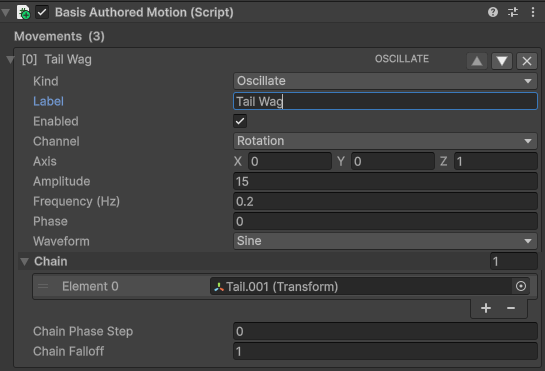
Assign the tail bones to Chain, top of the chain first. With one bone you get a simple sway; with several, Chain Phase Step delays each bone down the chain to produce a travelling wave, and Chain Falloff scales the amplitude per bone (1 = no falloff). Amplitude is in degrees when Channel is Rotation.
RandomSelect — twitching ears
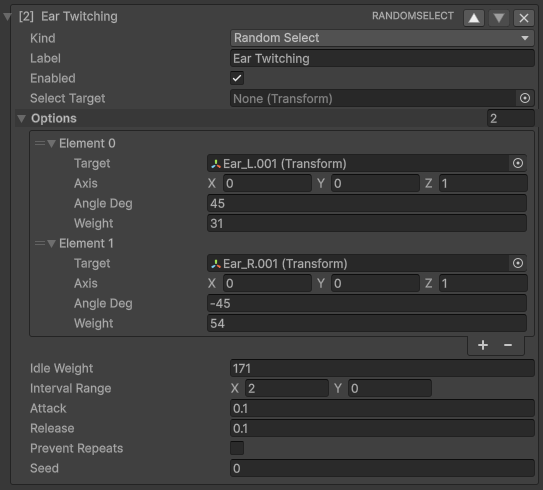
Add an Option per pose and give each a Target, Axis, Angle and Weight. An option that leaves Target empty falls back to Select Target, so one movement can pose a single bone several ways or drive a different bone per option. Idle Weight is the relative chance of doing nothing on a given cycle — raise it to make twitches occasional rather than constant.
Playing a Baked Clip with Sequence
When the motion is too complex to describe with a primitive — a hand-keyed loop curling a whole bone chain — bake the AnimationClip into a shared Basis Motion Clip asset and play it with a Sequence movement.
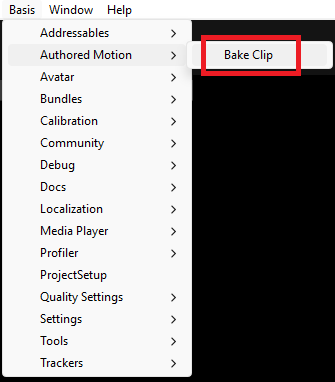
- Open Basis ▸ Authored Motion ▸ Bake Clip.
- Set Animation Clip to the source clip and Root (in scene) to the avatar the clip was authored on — the bone paths are baked relative to this root. Leave Frame Rate at 60 unless you need finer sampling. Click Bake and choose where to save the asset.
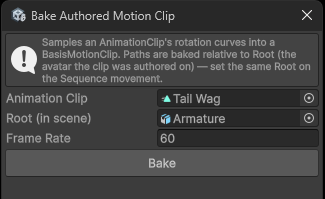
Baking is rotation-only in this version, and reproduces the clip's pose exactly regardless of the avatar's rest pose.
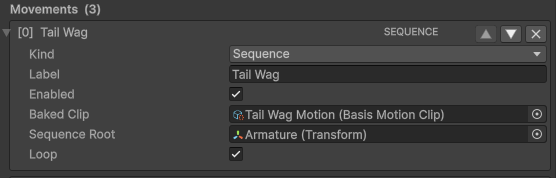
- On the Sequence movement, assign the baked asset to Baked Clip and set Sequence Root to the same root the clip was baked against. Enable Loop for a looping idle, or disable it for a one-shot.
Toggling at Runtime
A movement group rides the component's own enabled state. Anything that flips the component on or off — including an HVR.Vixxy activation — turns its movements on and off, with no per-frame polling. Group the movements that should toggle together onto one component.
Testing Your Setup
Authored Motion only starts once the avatar is calibrated, which does not happen on a plain Play. Use the Basis Avatar component's Test in Editor button — it loads the avatar through the real local-player path and calibrates it, so your movements run.
If nothing moves in plain Play mode, that's expected — the component never registered. Always validate with Test in Editor.
Last updated on