Jiggle Physics
Jiggle Physics allows you to add dynamic movement to parts of your avatar, such as hair, clothing, or accessories, enhancing realism and immersion.
How To Add Jiggle Physics
For each jiggle root:
- Add a new
Jiggle Rigcomponent either to a new GameObject, or any existing one as long it's under the hierarchy of your Avatar root.
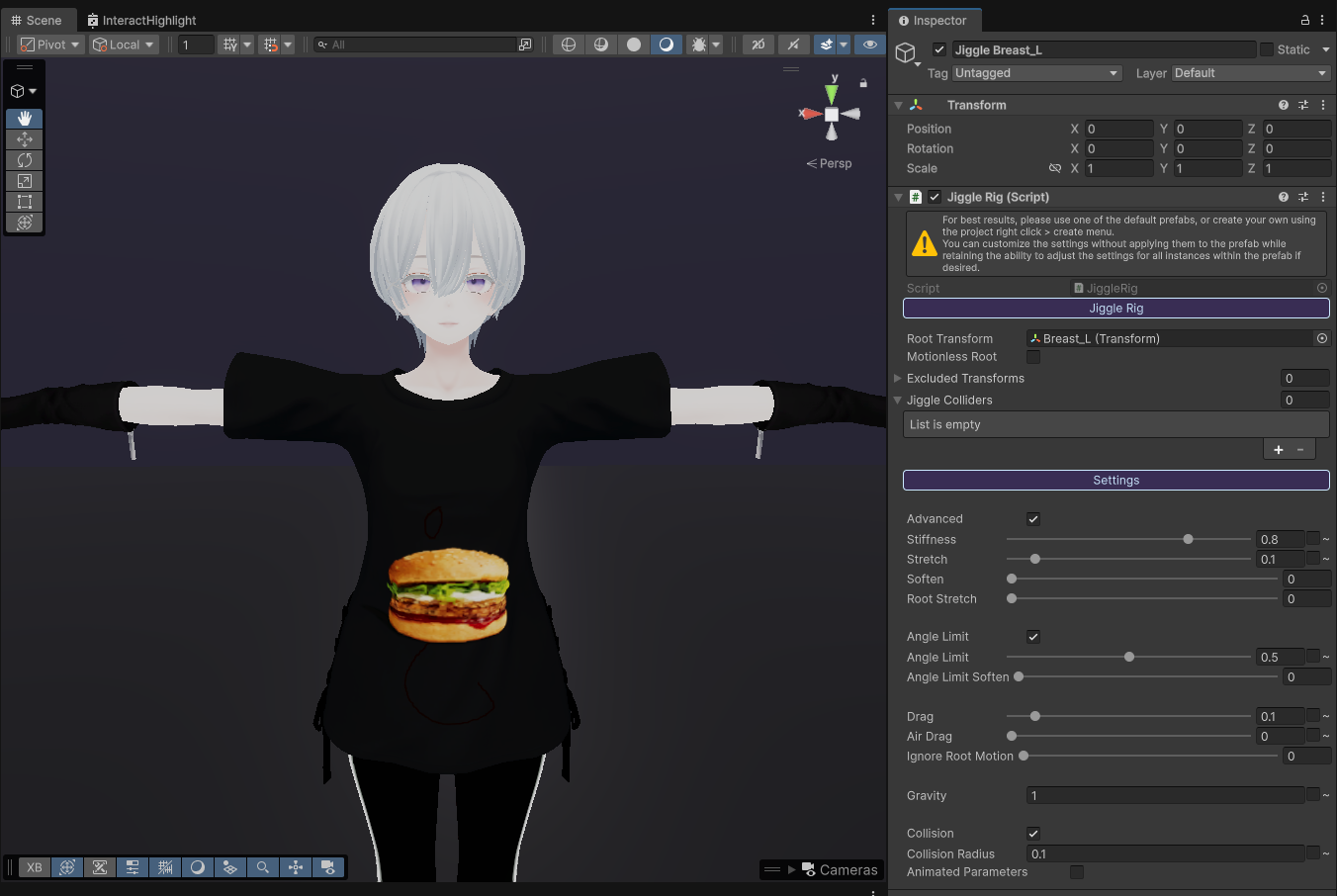
- Assign the bone in the avatar armature that you want to make jiggle to the
Root Transformin the inspector. For example, this can include things like your avatar's hair, clothing, accessories or body parts. Keep in mind that for things with a left and right side (such as left and right breasts), you'll want to add a separateJiggle Rigfor each one (otherwise only one side will jiggle!).
Tip: To keep your Jiggle Rigs organised, you can nest them under a newly created parent GameObject for example.
- You can adjust the settings and test in playmode (e.g., either by just dragging the avatar around or using the
Basis Avatarcomponent'sTest in Editoroption) until you're satisfied. You can also place your mouse cursor over each setting option to see a description of what it does. To view all settings, you can click onAdvanced.
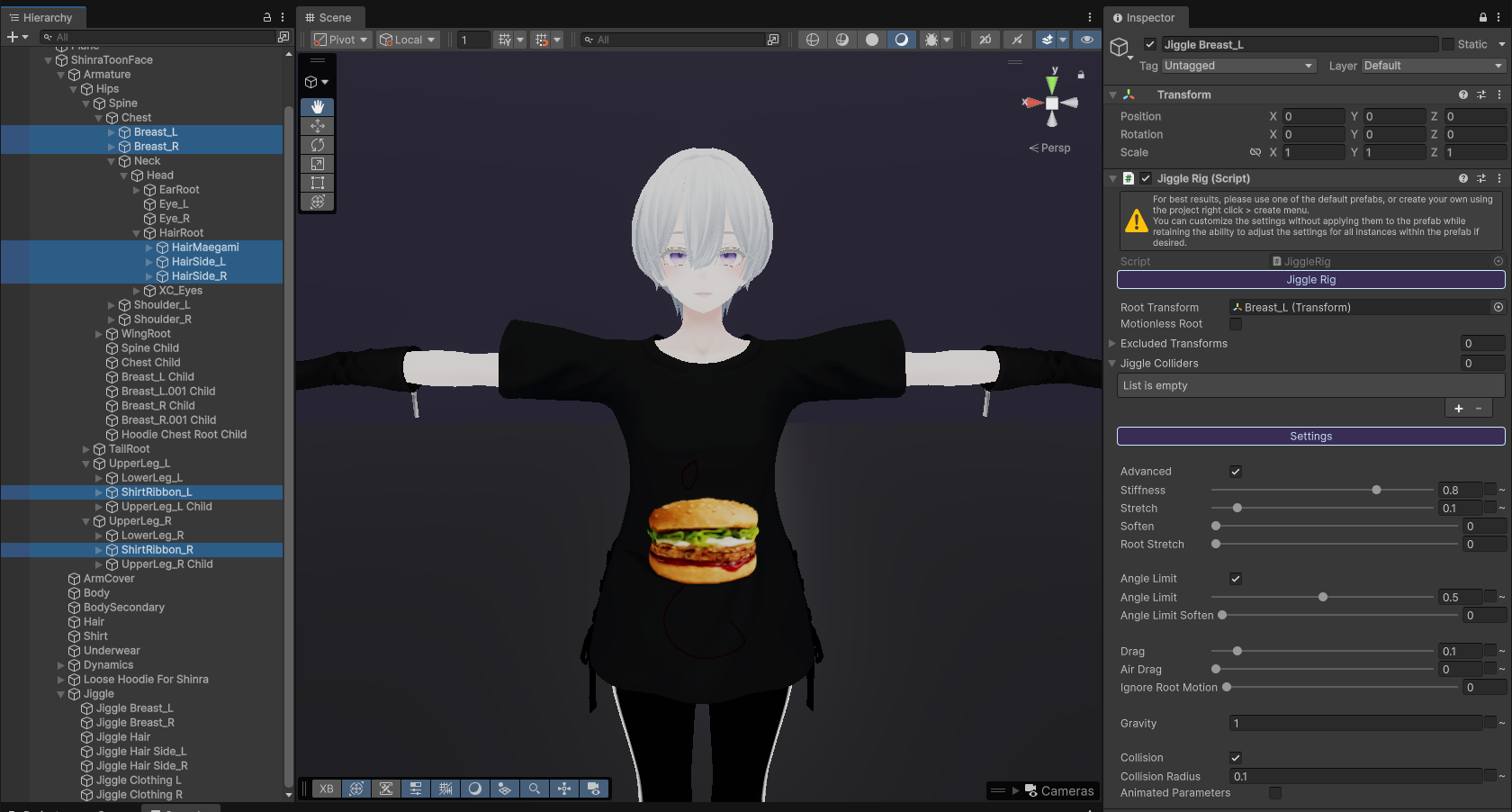
Optionally, if you have a parent bone with multiple chains of child bones inside it and you wish to apply the same effect to them, you can enable Motionless Root so that it only affects the child bones and not the root itself.
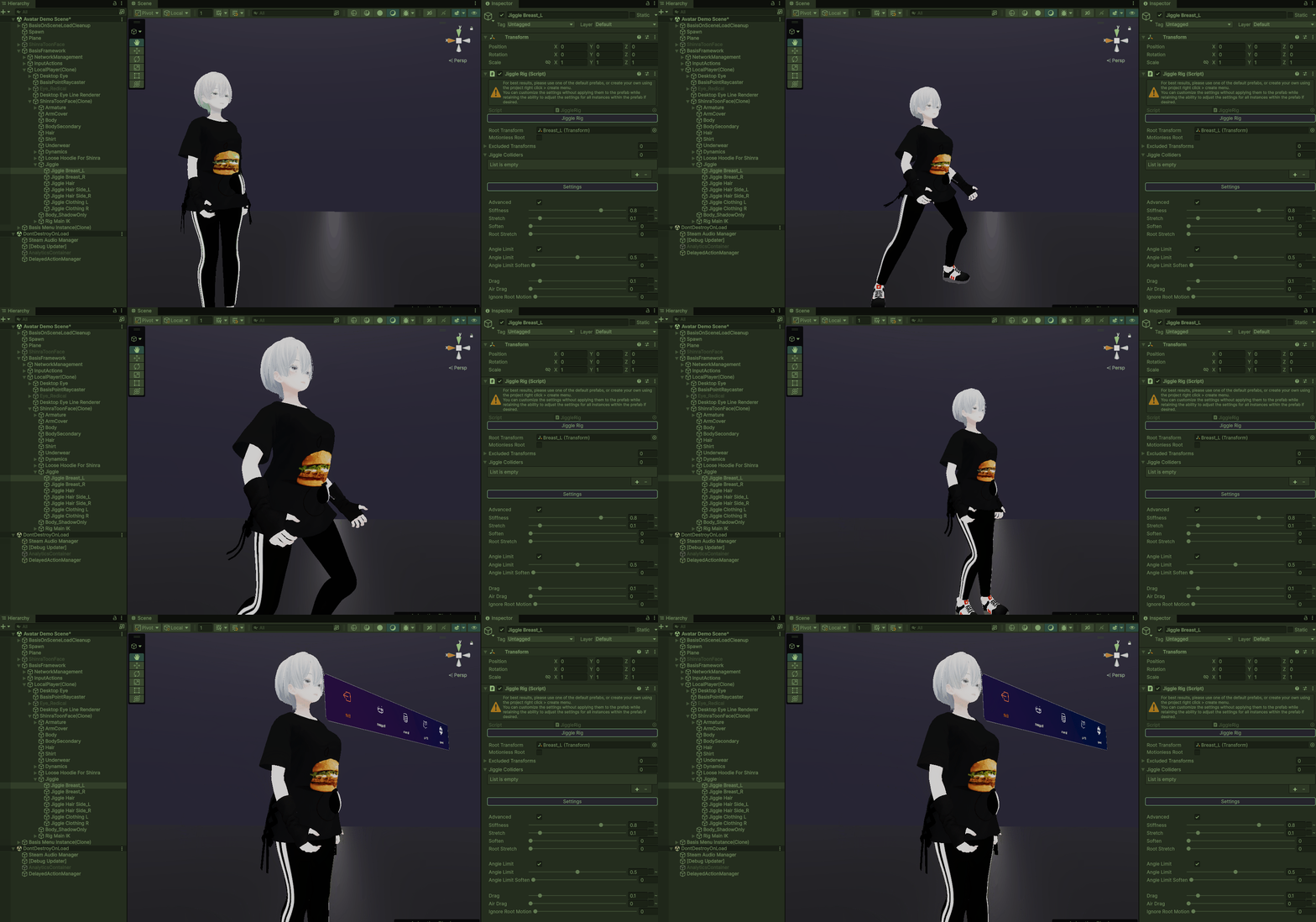
- Below you can see an example with Jiggle Rigs applied to the hair, clothing and chest.
Collision Interaction
If you want collisions by objects to drive the jiggles:
-
Activate
Advancedto view all settings. -
Enable
Collisionand adjustCollision Radiusto fit the object. -
Add a GameObject which you want to use for triggering collisions. Assign to it the component
Jiggle Collider Example.
Make sure whatever GameObject your using has a sphere collider!
- In the
Jiggle Collider Transformfield, assign your colliding GameObject and select Sphere as theCollider Type. Note that currently only sphere colliders are supported, but the creator of the jiggle system, Naelstrof, is likely to add more in the future.
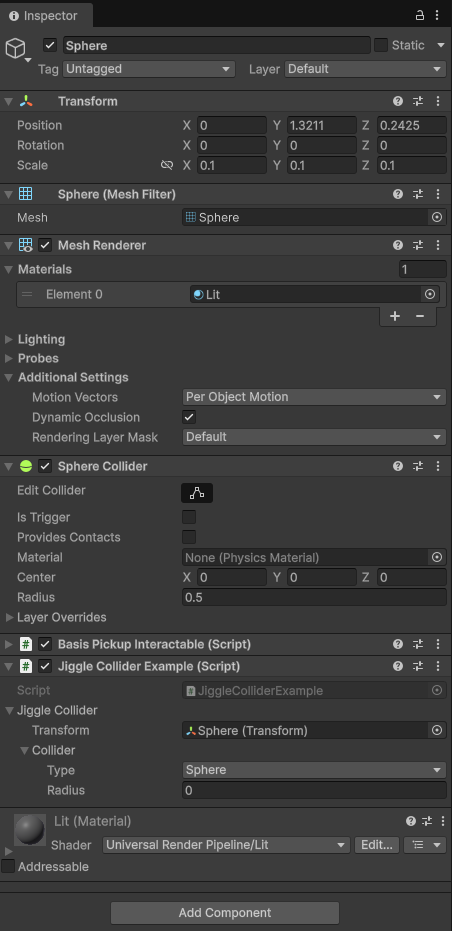
- Below is an example of a sphere object with the component
BasisPickupInteractablecolliding with an avatar's hair.