Constraints
- Basis currently use Animation Rigging Package to provide constraints.
This package is used due to the lack of an open-source implementation of a multi-threaded constraint system. If anyone has the time or interest to develop one, contributions or new projects would be very welcome.
Documentation can be found for all the Constraints that Animation Rigging provides here
Setup for Animation Rigging Packages
Adding Rig Builder: Add a Rig Builder component and Animator component on the Armature Gameobject.
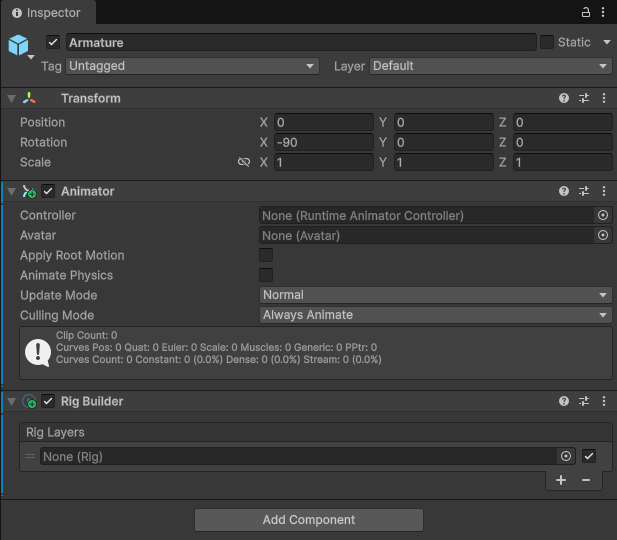
Basis uses the Root/Avatar's gameobject animator for animation and rigging.
You can not use the root's animator for the Rig Builder and will break animation and Basis armature loader.
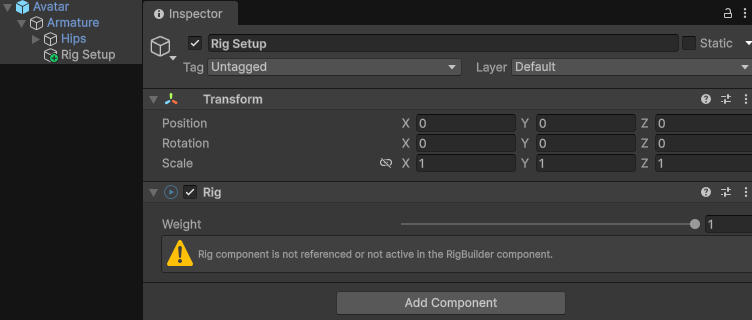
Creating Rig Setup: Create an empty Gameobject named "Rig Setup" and add the Rig component to it.
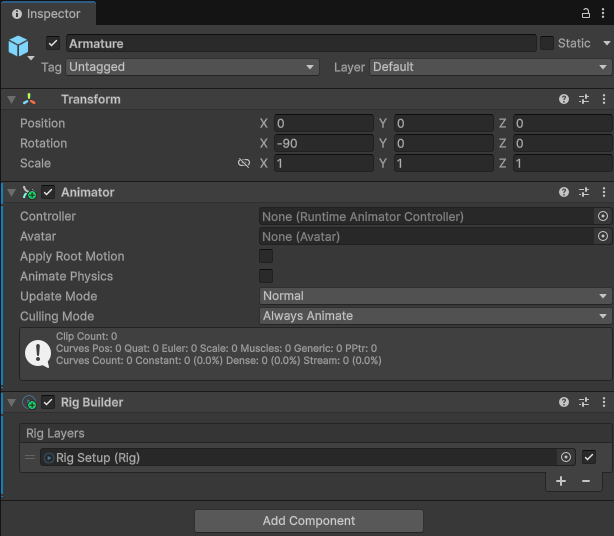
Assigning Rig Setup: Assign the "Rig Setup" Gameobject to the Rig Builder component of the Armature.
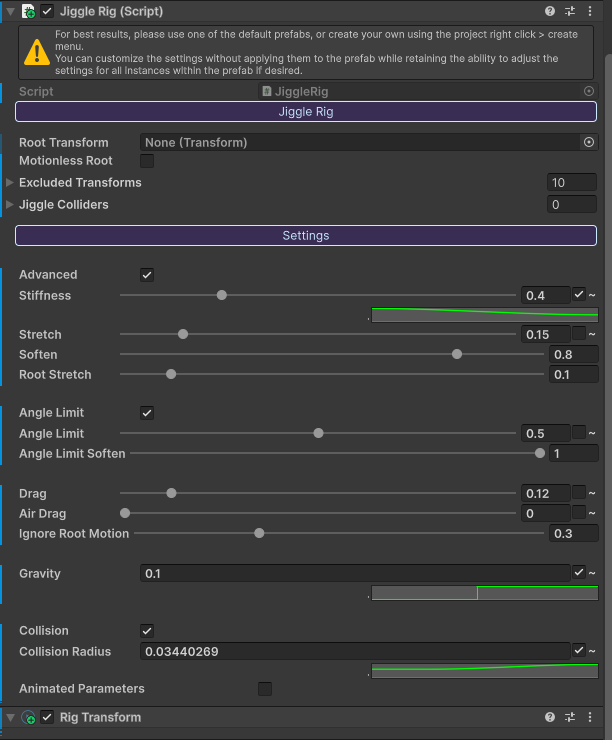
Notes on Jiggle Bones
If Jiggle Bones is affecting any constraints you have to add the Rig Transform to all parent bones of the constraint bone.
Fx: You have a laser that is constraint to look the direction of your avatar's head. You have to go from parent of the laser adding Rig Transform components until you hit an Armature/Humanoid bone.
This includes all source bones if they are not part of the humanoid. Fx: Wings that are affected by Jiggle Bones need Rig Transform components if you have a constraint reference them.
Rotation Constraints
Do the Setup first than continue with instructions for setting up Rotation Constraints.
Add the Multi-Rotation Constraint Component onto an gameobject that is a child of the Rig Setup Gameobject.
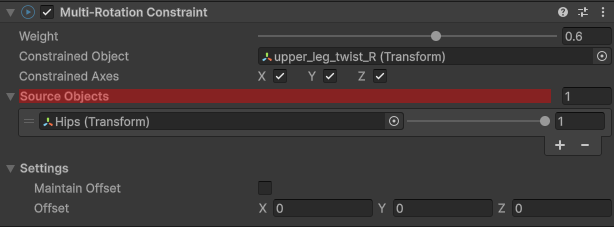
Assign the bone you want affected in the Constrained Object field. One or more source objects can be used.
You can drag and drop the source bones/GameObjects onto the Source Bojects in the area highlighted in Red.
You can only add one Multi-Roation Constraint per gameObject.