
Uploading
Uploading Your Avatar
Basis allows you to load an Avatar .BEE file from a remote URL location, which is also required for other users in a networked session to also load the assets.
You can add your avatar password directly into the url for your .BEE file by https://locationofBeefile.BEE#(Base64Encode(Password))
Which you are appending # and Base64Encoded string of your password.
In order to support this, you will need to direct link to a remote location. For this example, we will use Google Drive.
(Google Drive supports the direct link of files up to 100MB due to their Virus Scanning policy.)
Upload the BEE file to Google Drive, or any hosting provider that allows direct links to files without login.
- Create a Folder on your Drive and set its sharing settings to "Anyone with the link."
Now when you drag your files into this Folder, you will not individually need to set that permission.
- Click the Hamburger Menu on the Top Right of the asset you have just uploaded into the folder.
- Find "Share" and click "Copy Link."
We will need to look into the URL to grab the information we need for your BEE file.
Example:
https://drive.google.com/file/d/YourIDBringsAllTheLagToMyYard/view?usp=sharingWe want to copy the unique identifier inside of the URL and add it to the following:
https://drive.google.com/uc?export=download&id=Example:
https://drive.google.com/uc?export=download&id=YourIDBringsAllTheLagToMyYardGoogle Drive Direct Link Converter
DO NOT UPLOAD YOUR GENERATED PASSWORD FILE OR SHARE IT
Loading in Basis
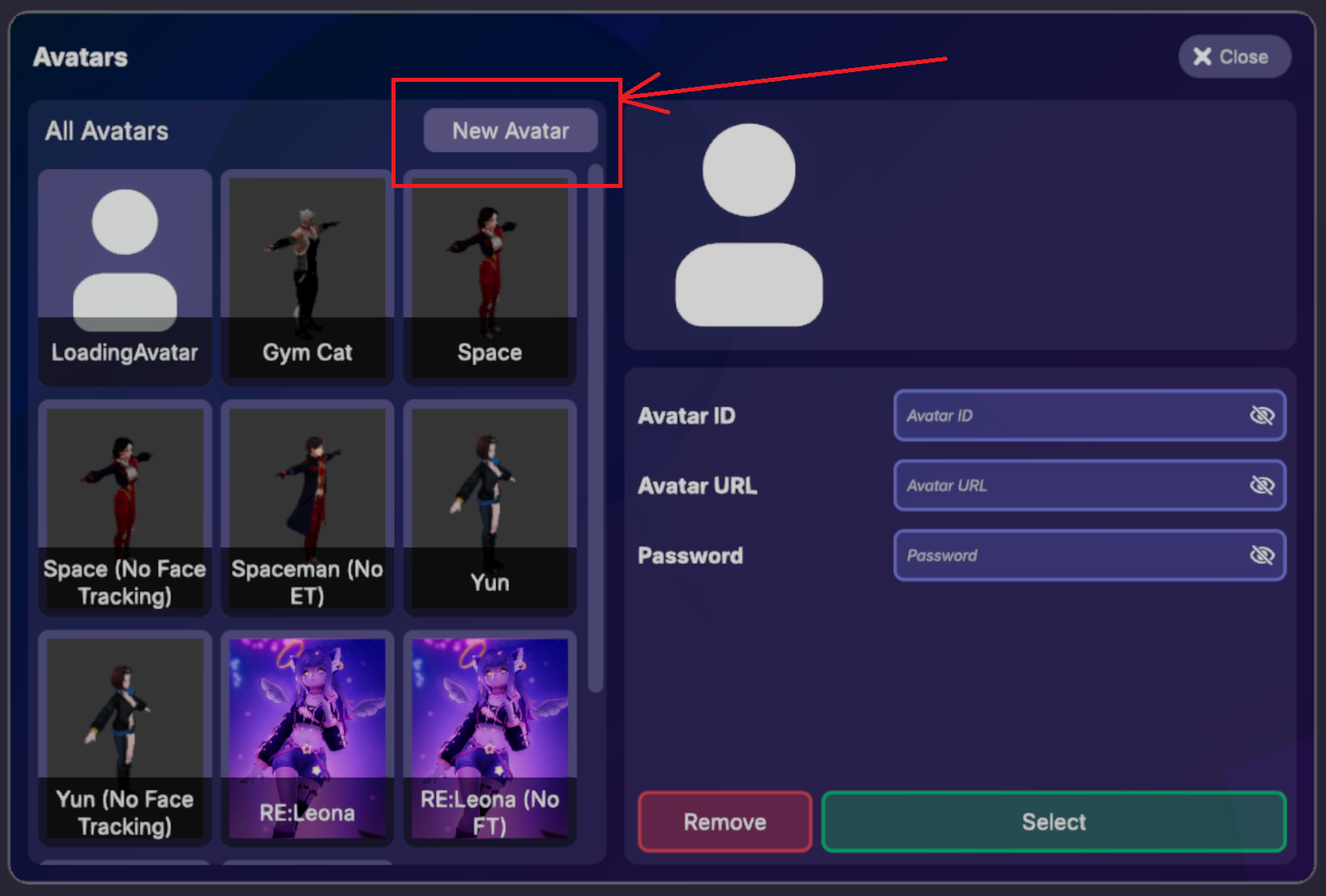
Load up Basis, open the menu, and select Avatars.

In the Avatar menu, select 'New Avatar' near the top of the window.
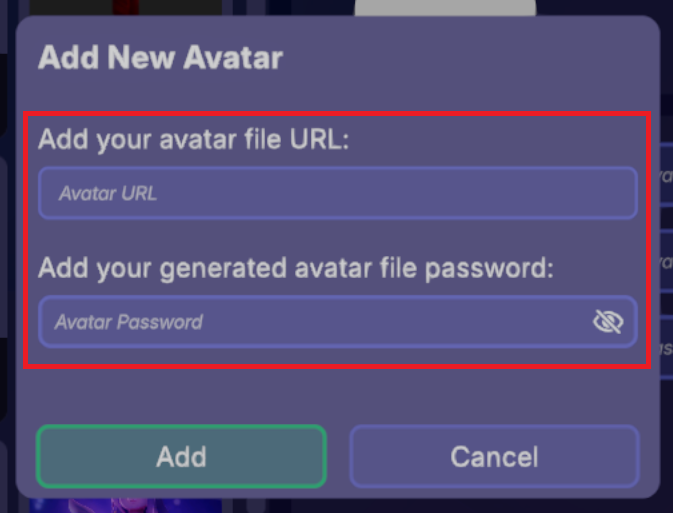
Paste the BEE File URL into the Avatar URL field and the SUPER SECRET ENCRYPTED PASSWORD into the Avatar Password field.
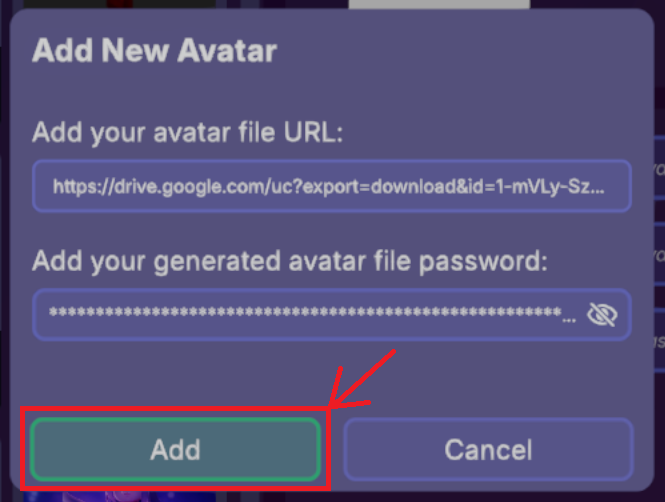
Click the Add button and the avatar should then automatically load!
Avatar Details
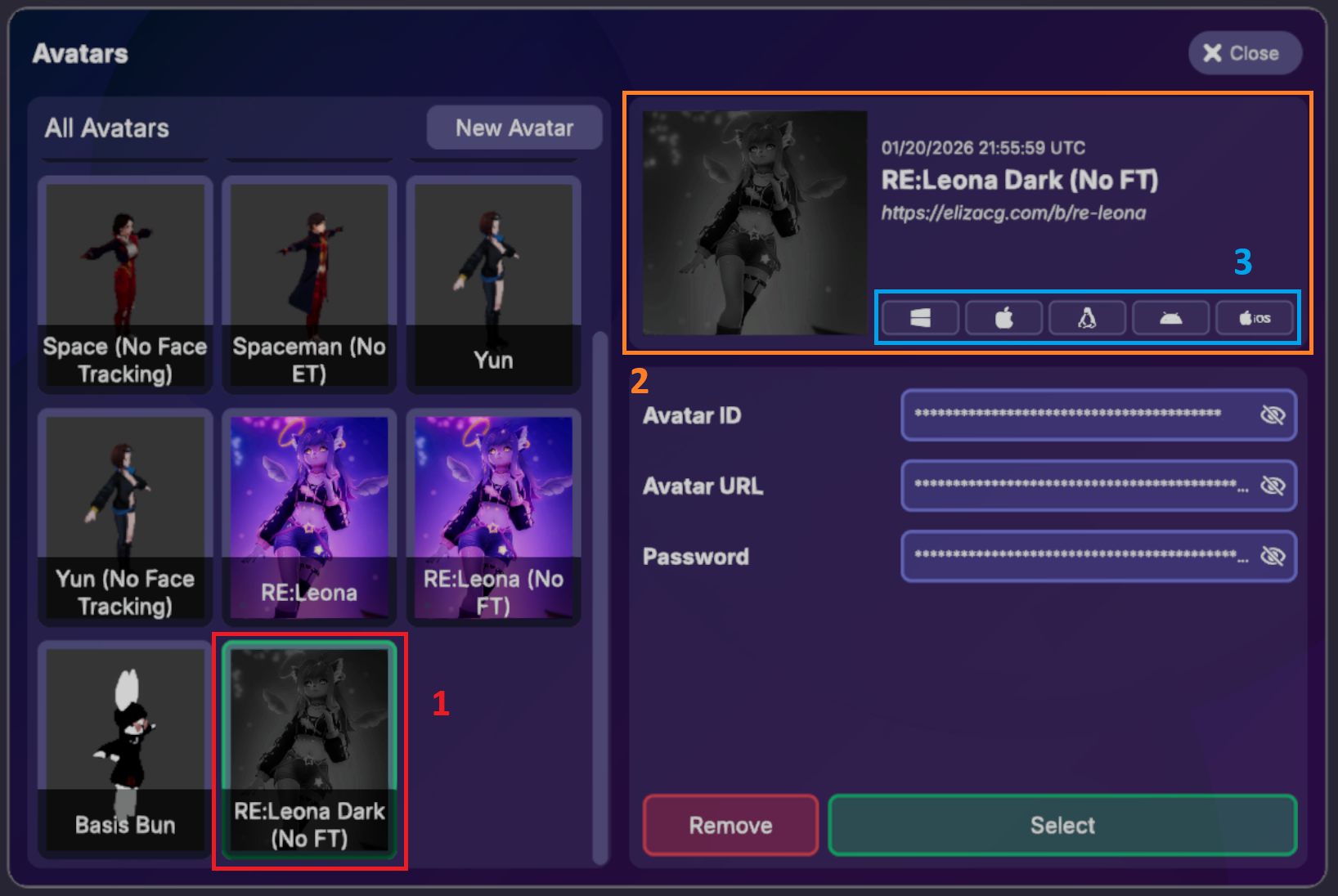
Once your avatar is loaded, you'll see the following in the Avatar Details panel:
- (1) Avatar List - Your avatar appears at the bottom of the avatar list on the left side
- (2) Avatar Information - The details panel displays the compilation timestamp, Title, and Description
- (3) Platform Compatibility - Icons indicate which OS platforms support this avatar
Remove Avatars
Avatars can be removed by clicking on the Avatar in the menu and hitting the red Remove button.
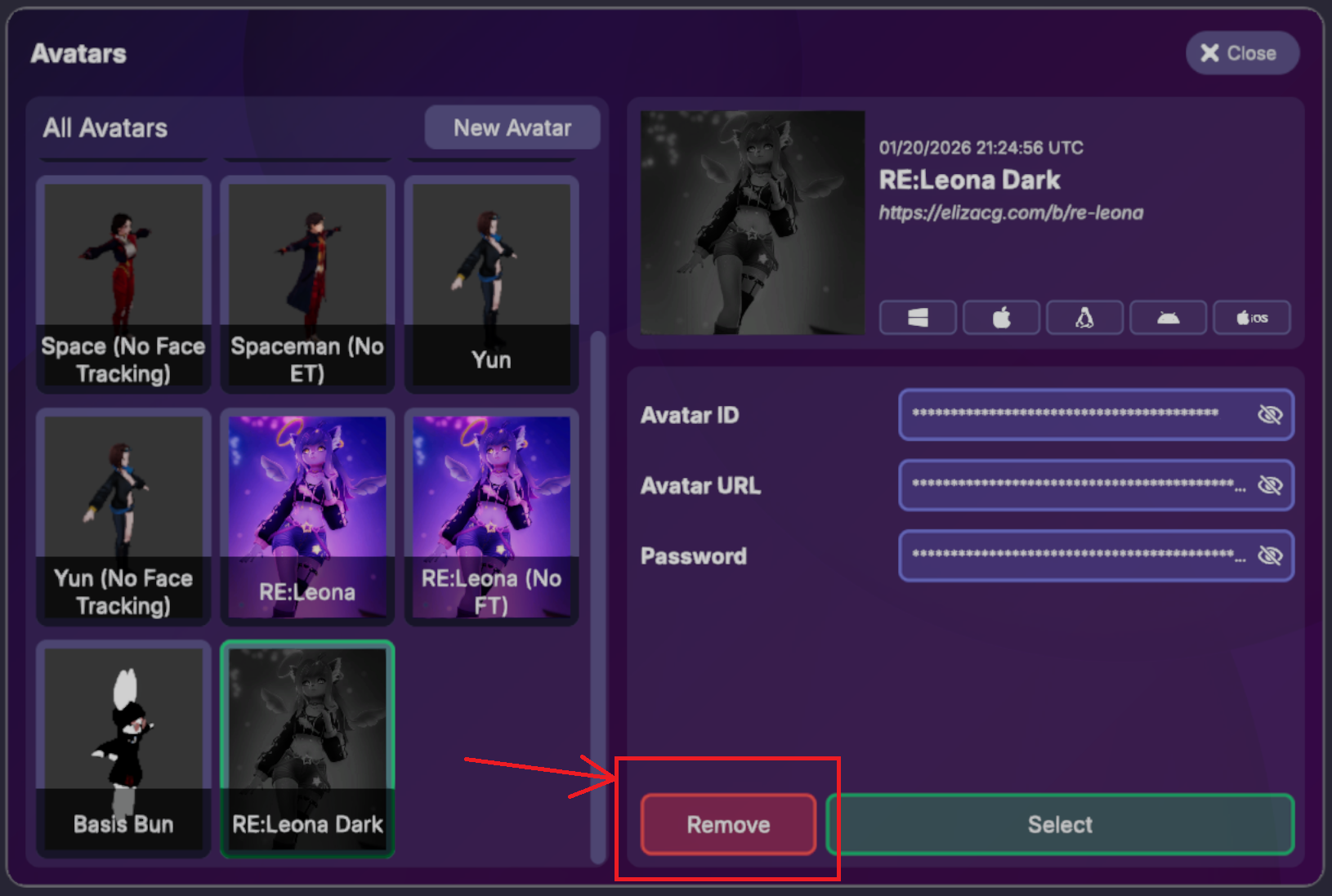
To remove all saved avatar information, outside of the game interface, you can also do the following:
- Delete
%appdata%\..\LocalLow\Basis Unity\Basis Unity\KeyStore.json.
When you next reload the game the previously stored Avatars will now be gone.