
World
Building
Minimum Requirements for a Functional Basis Scene
- Import your world meshes or create a new 3D object, such as a Plane or Cube. Ensure a Collider is present.
- Create a gameObject, give it a suitable name, and on the Inspector click
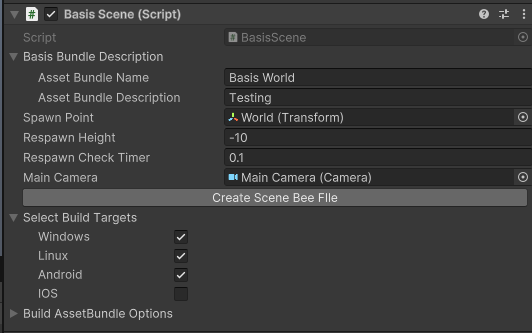
Add Componentand find/select the Basis Scene component.
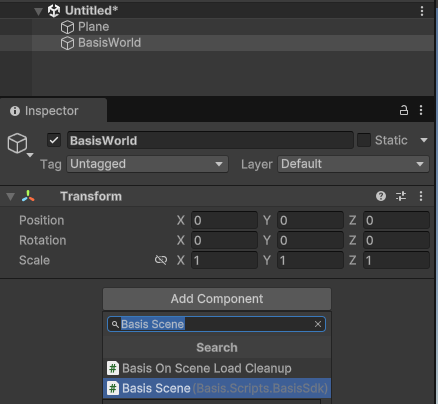
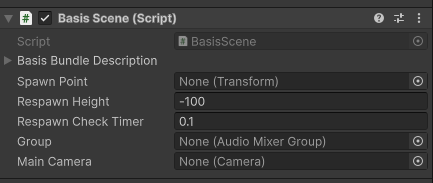
- At this point you can create another gameObject, name it Spawn, and then place it somewhere in the world that you would like players to spawn into the world at, or simply use the same gameObject that was created for the Basis Scene component.
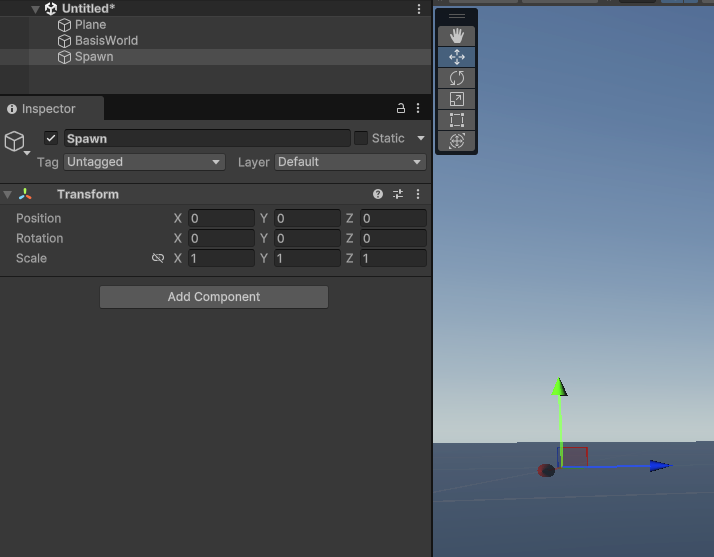
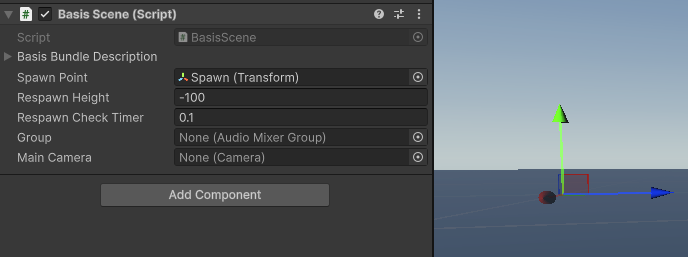
- Either way, make sure you place the gameObject of your spawn position of choice into the
Spawn Pointfield and then it will use the transform of that gameObject.
Build the AssetBundle
- On the
Basis SceneComponent, press theCreate Scene Bee Filebutton.
- The results will be opened automatically as shown below.
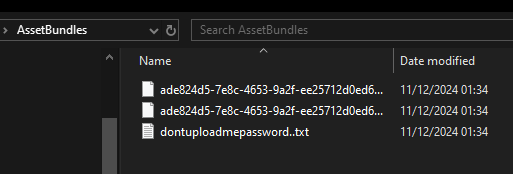
Basis uses the .BEE file extension, which contains your compiled asset and meta data, in order to simplify user generated content.
The .BEE file, along with a randomly generated password to access it, is created under your Unity Project path /AssetBundles/ directory and is hidden from Unity by default.
If you prefer, you can also replace the generated .BEE file name with something more easily memorable. Keep in mind that reusing the same name will result in any previous version being replaced by the new one!