
World
Testing
Test the Scene
Select the BasisFramework .prefab asset in the Project files, Do not instantiate this prefab into the current Scene! The Basis SDK does this automatically!
- Once the AssetBundle has been created, you can load this via the
BasisFrameworkprefab found atPackages > Basis SDK > Prefabs > Boot.
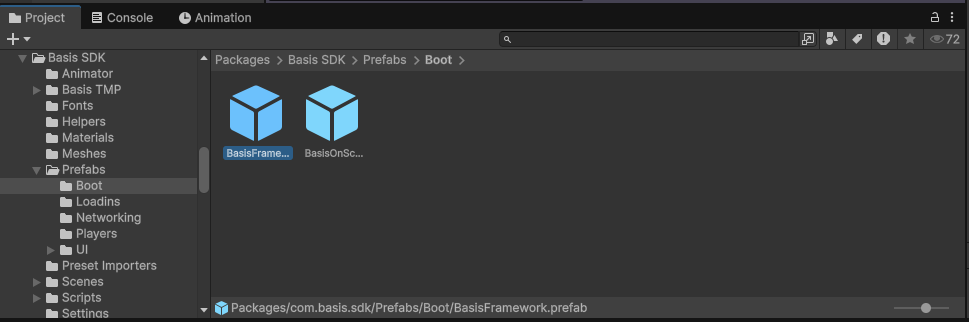
- You can place the location of the new AssetBundle under the
Remote BEE File Locationfield, along with theUnlock Passwordprovided in thedontuploadmepassword.txtfile generated in the/AssetBundles/directory, then enableUse Scene Provided Here.
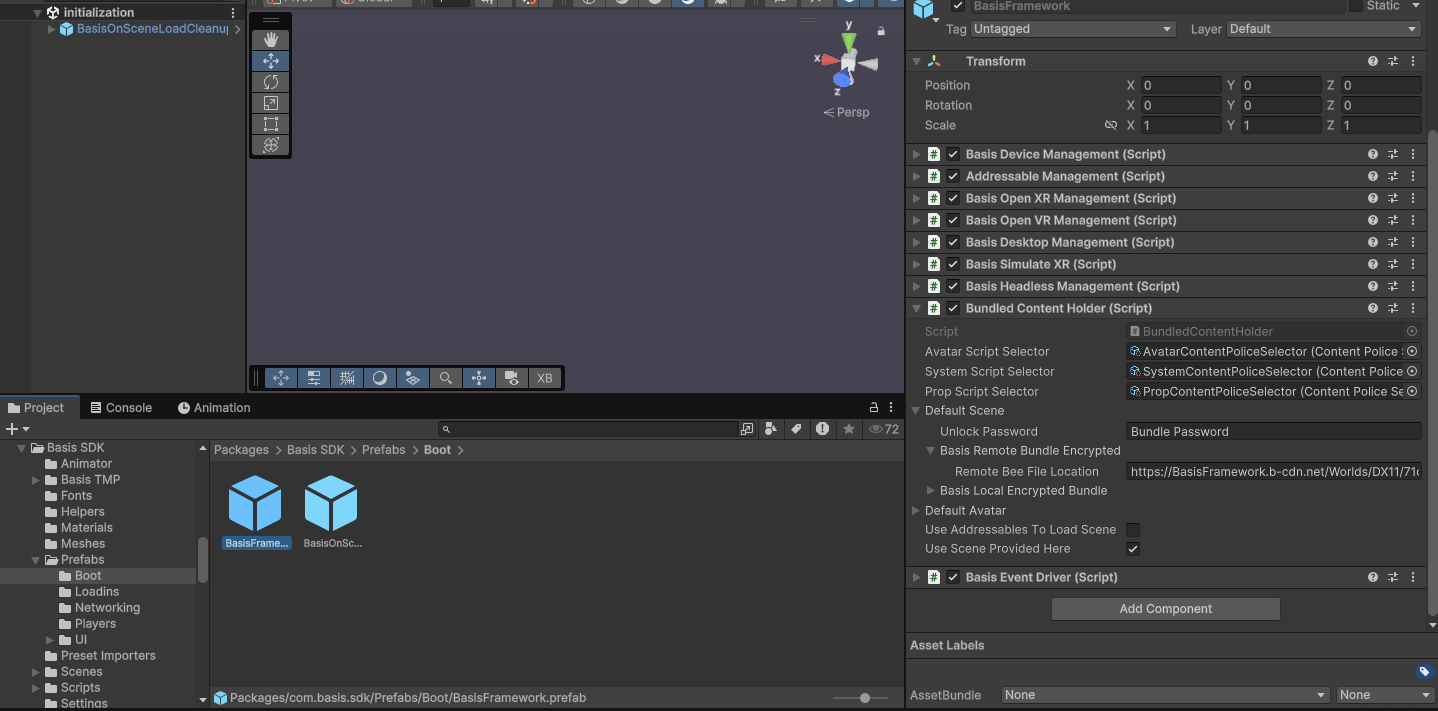
Note: If toggled on, the inspector property Use Scene Provided Here will load the scene provided in Remote Bee File Location. When toggled off, it loads an XML scene generated via the Basis Config Loader (if there is one).
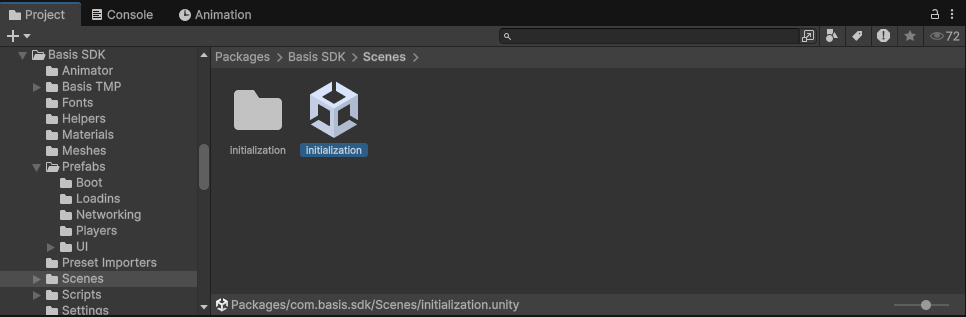
- Load the
Initializationscene fromPackages > Basis SDK > Scenes, and then hit Play.
-
Enter a Username and press "Connect", localhost may be used if a Server has been started on the local machine.
-
You should then load in at the spawn location of your world or the connecting Server.